Reimbfast AI
The AI Fabric handles conditional flows—such as auto-approvals and rejections—using event triggers from messaging systems like AMQ and RMQ, streamlining claim processing with minimal manual intervention.
Always click Save after making any changes to your artifact to ensure updates are stored successfully.
Create an Artifact
Follow the steps below to create a new artifact
- Navigate to the Dashboard → AI Fabric
- Open the Artifact section by clicking the "Artifact" tab in the navigation bar.
- Navigate to the application path: My Artifacts → Global-App-Group → reimbfast-app
- Click the (+) button at the bottom-left to create a new artifact.
- Enter a unique name for the artifact (e.g., Reimbfast AI).
- Click Create Artifact to confirm.
- Click Save to save the artifact and close the window.
Design the AI (Automation & Integration Diagram)
In AI Fabric, we are triggering AMQ for automated approvals and RMQ for automated rejections. These messaging queues ensure real-time, event-driven communication between systems, allowing workflows to respond dynamically based on decision outcomes.
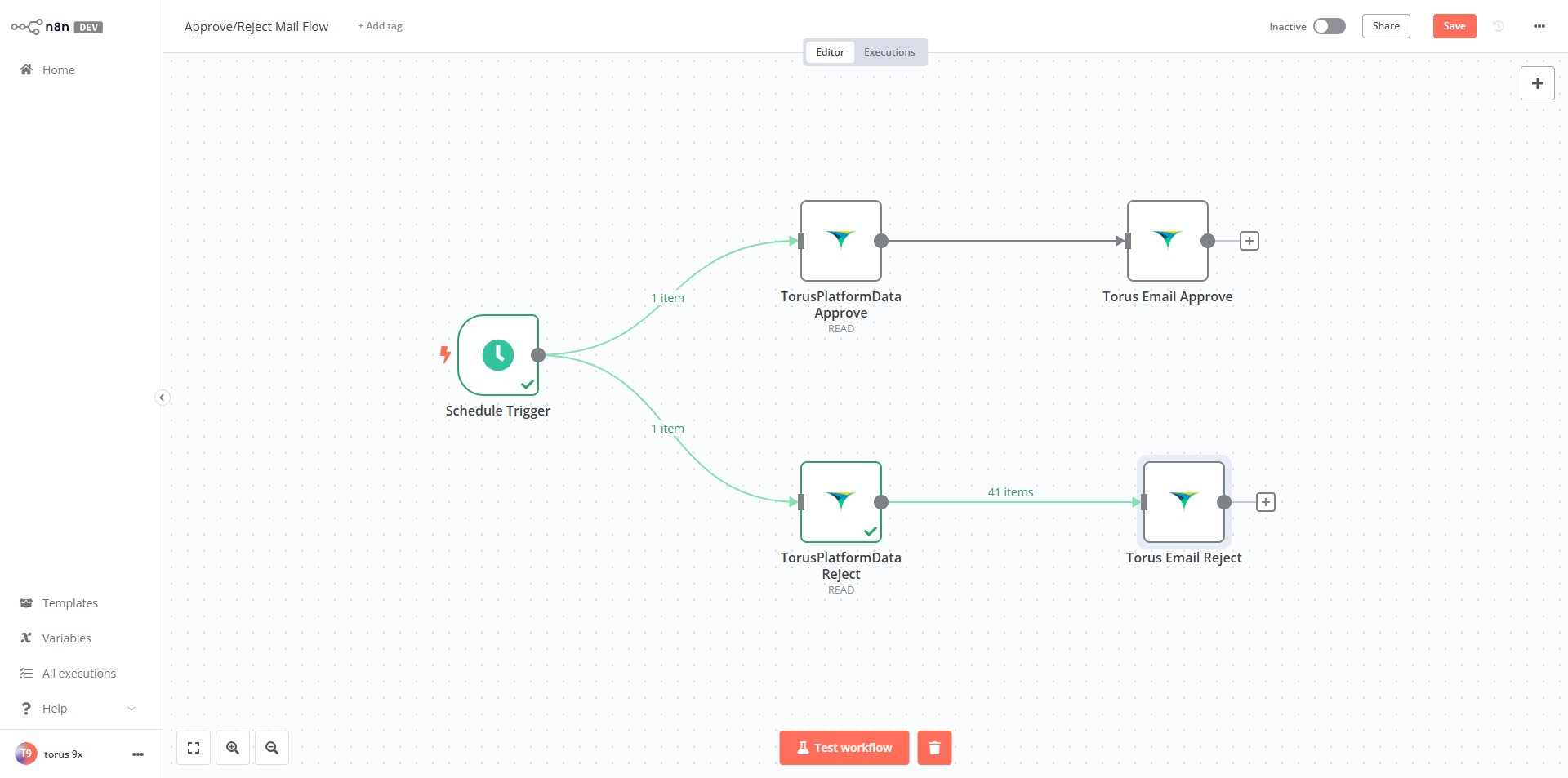
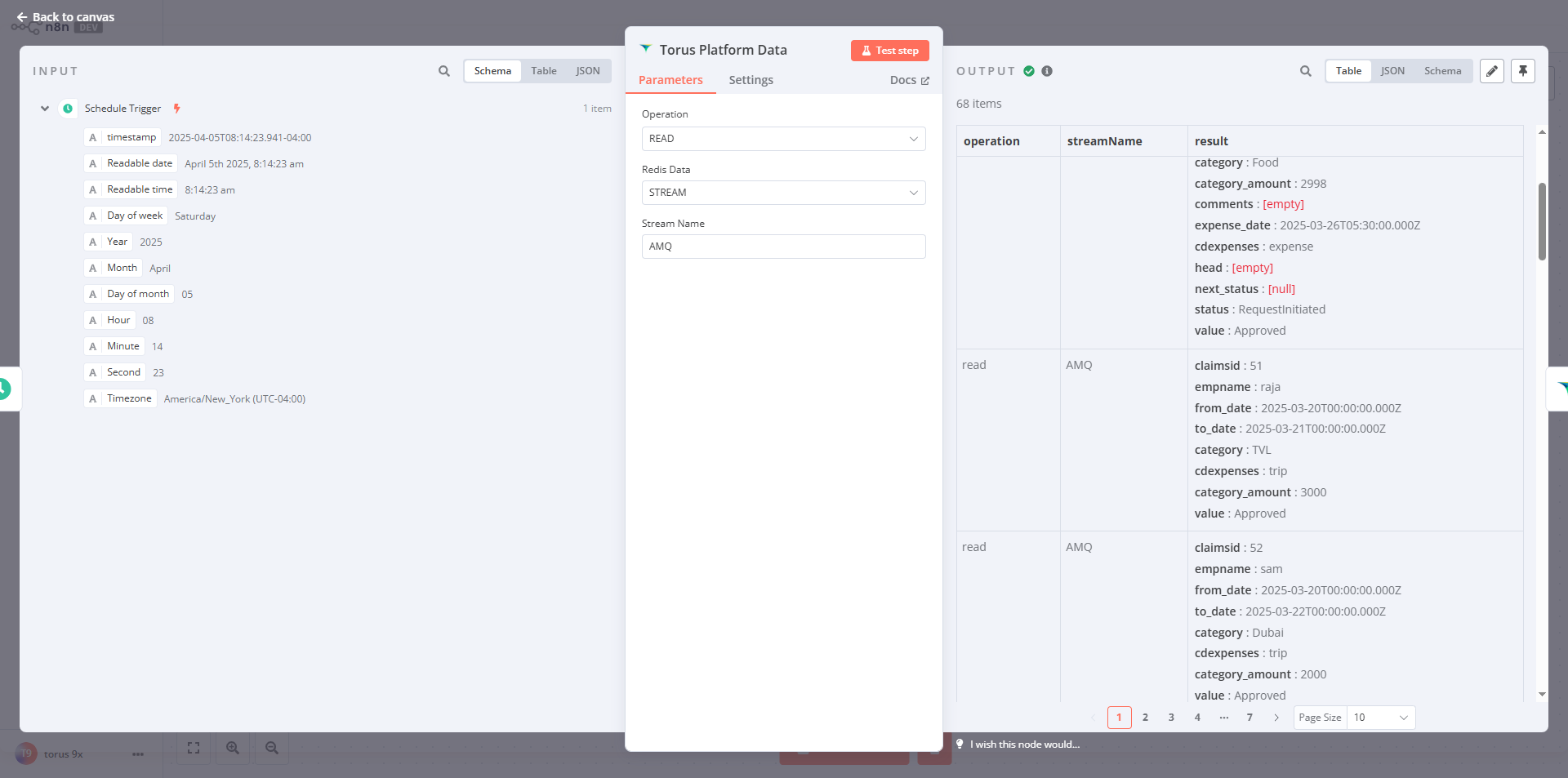
Update the properties as per the below screen.
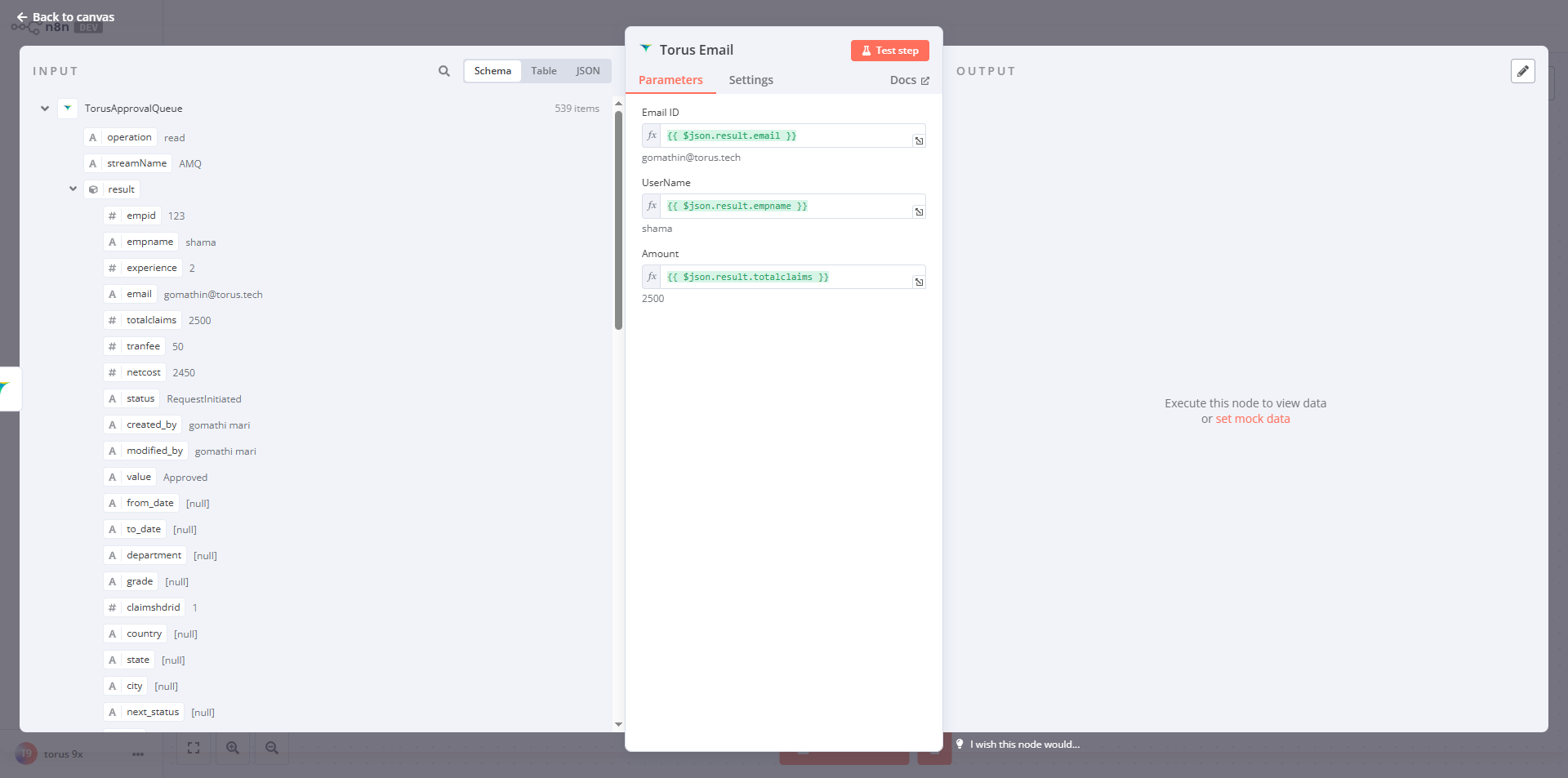
Drag the properties listed from the input to the Parameters, click on Test set up so that we will get the desired results as output.
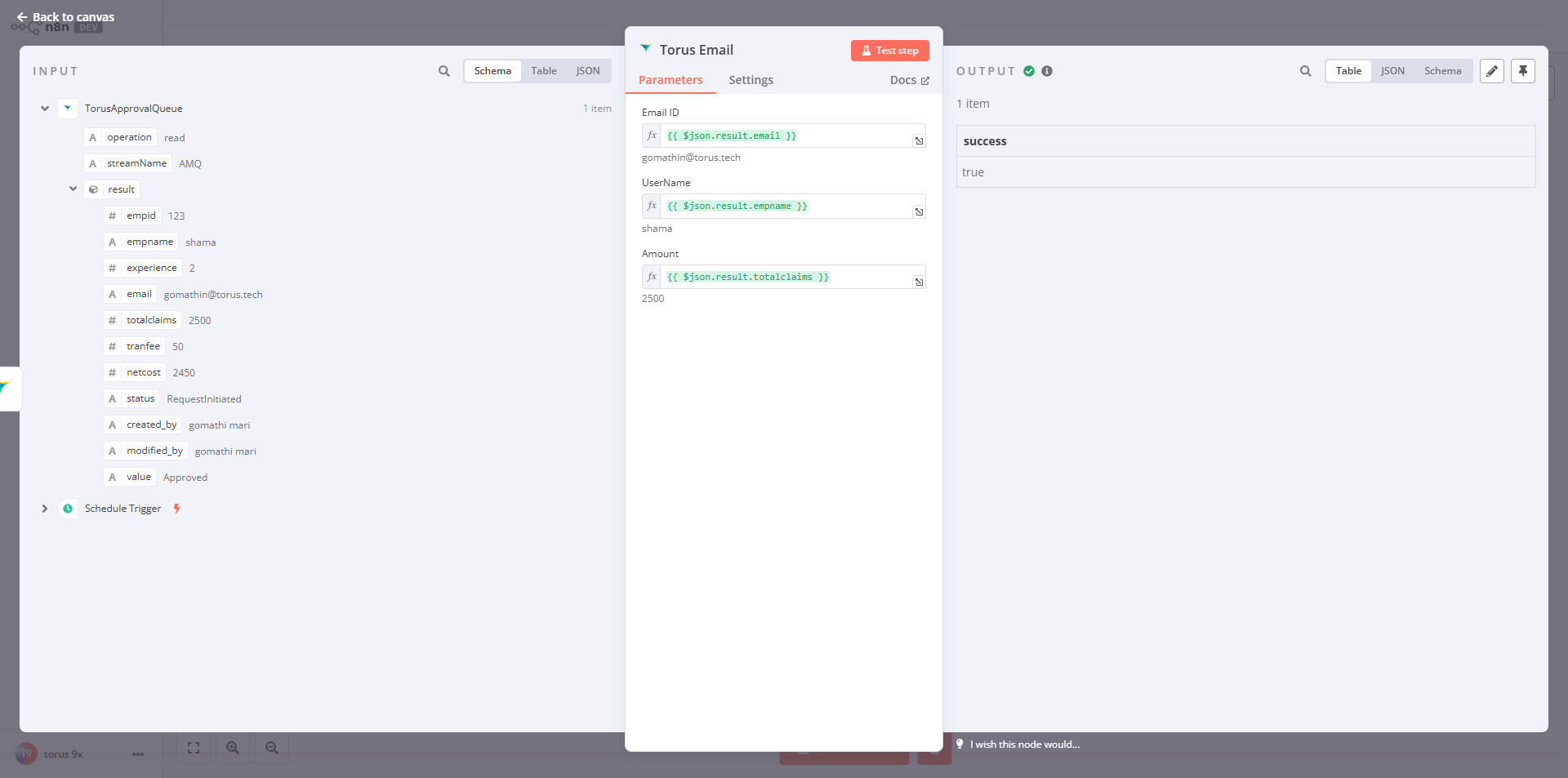
Below screenshot indicates Output status as Success.