Reimbfast ERD
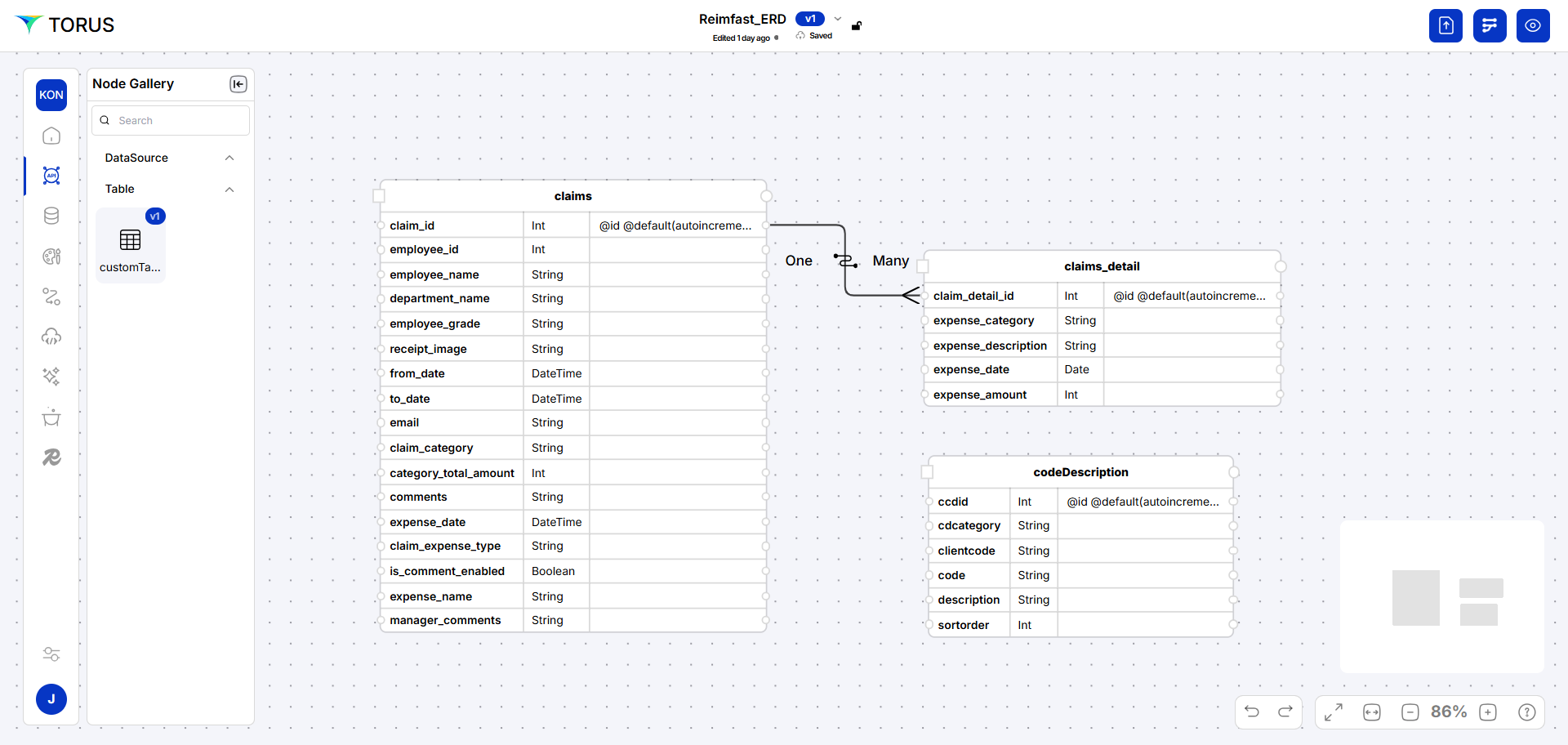
An ERD is a visual representation of data entities and their relationships within a system. It helps in designing and understanding the data structure, showcasing how tables (entities) connect through keys and associations—essential for building efficient and well-organized databases.
note
Always click Save after making any changes to your artifact to ensure updates are stored successfully.
Create an Artifact
Follow the steps below to create a new artifact
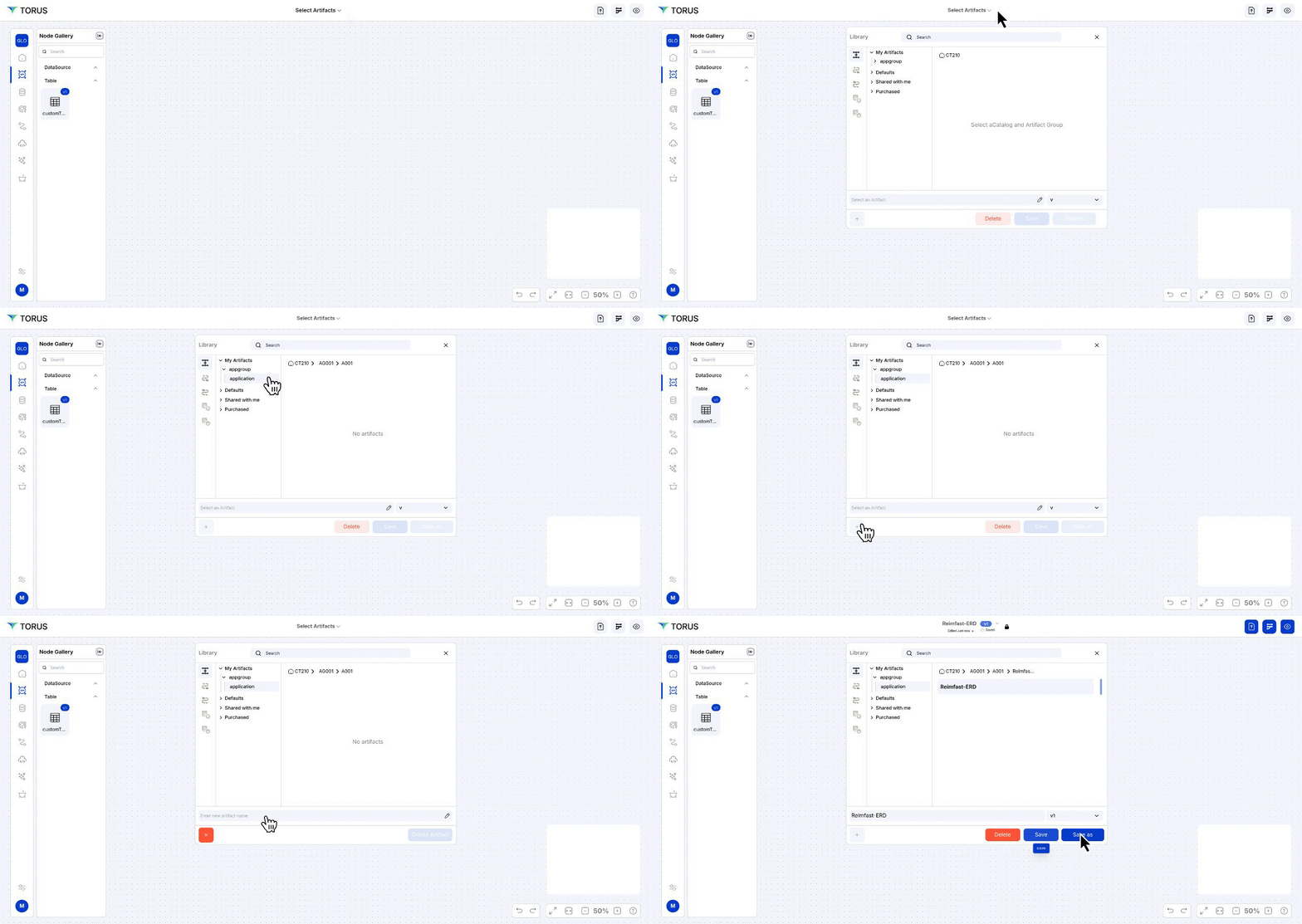
- Navigate to the Dashboard → API Fabric
- Open the Artifact section by clicking the "Artifact" tab in the navigation bar.
- Navigate to the application path: My Artifacts → Global-App-Group → reimbfast-app
- Click the (+) button at the bottom-left to create a new artifact.
- Enter a unique name for the artifact (e.g., Reimbfast ERD).
- Click Create Artifact to confirm.
- Click Save to save the artifact and close the window.
Design the ERD (Entity-Relationship Diagram)
- Open Node Gallery, Drag & Drop a Custom Table Node into workspace.
- Right-click the node → Edit Node.
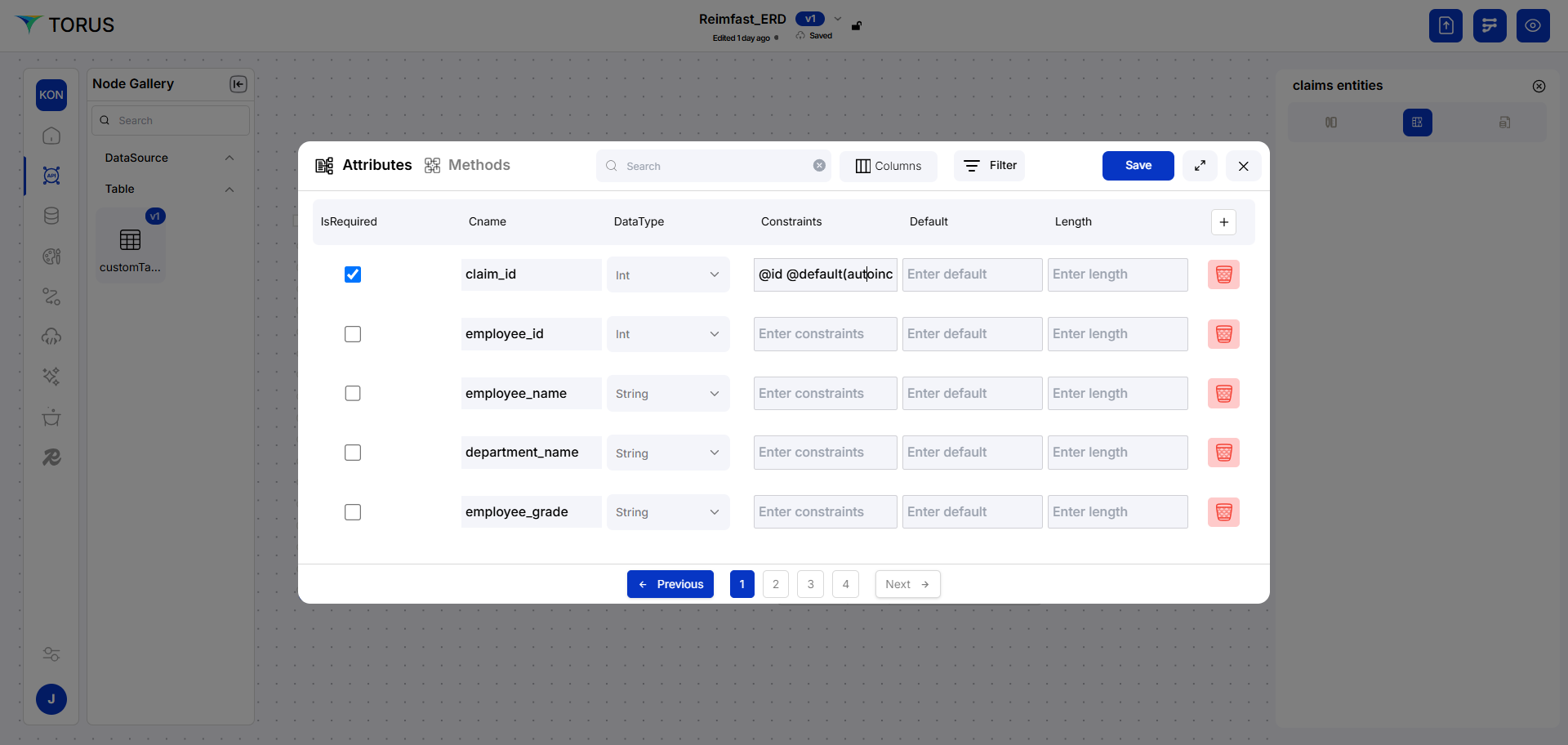
- First tab: Set node name, description.
- Second tab: Add columns, data types, constraints (PK, defaults).
- Click Save, then go to the Methods tab.
- Enable necessary REST APIs: GET, GETALL, POST, PUT, DELETE.
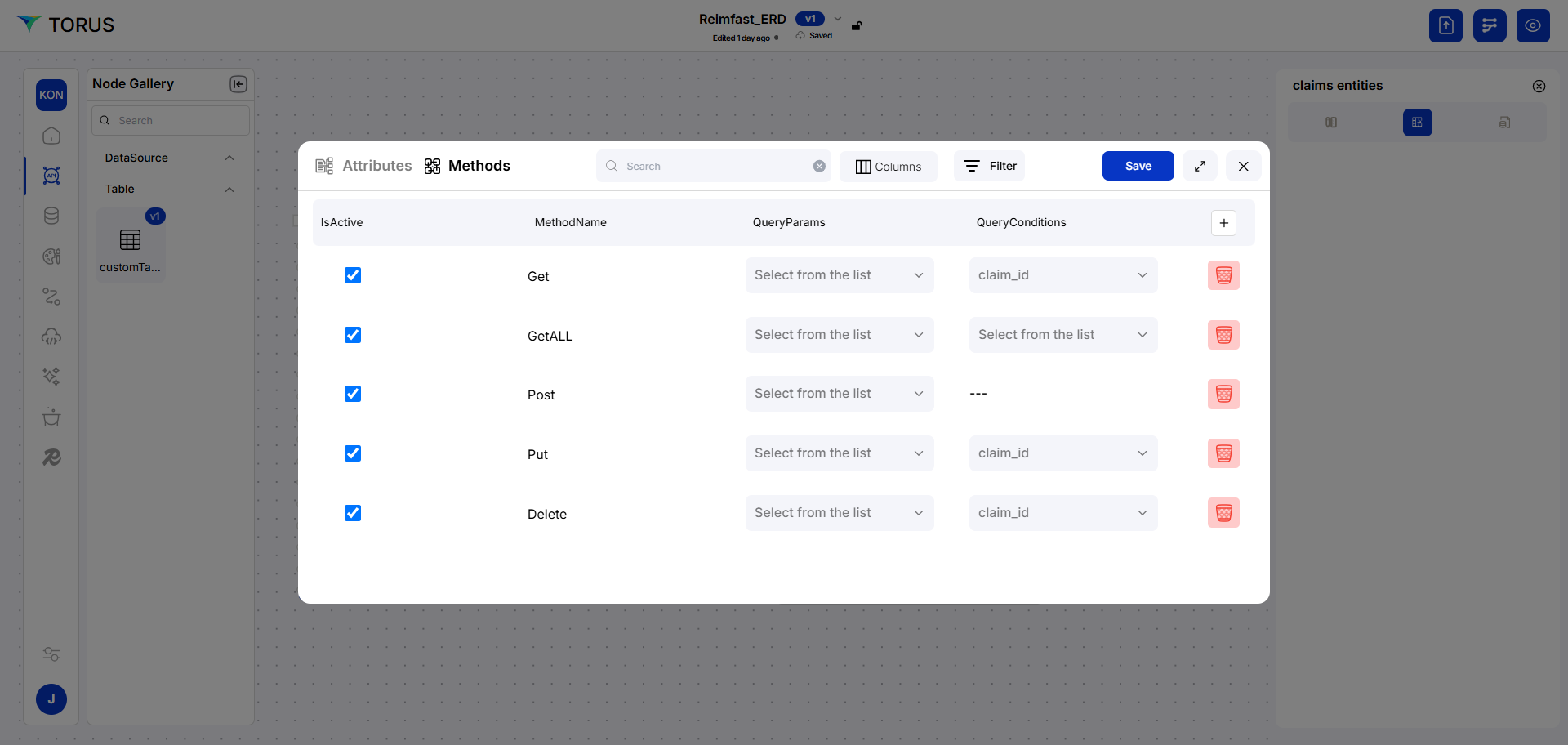
- Configure query conditions.
Set Up Relationships
- Map a field in one table to another to create a relation.
- Click the line to modify to One-to-Many if needed.
- Click Save Artifact.
Build API Fabric
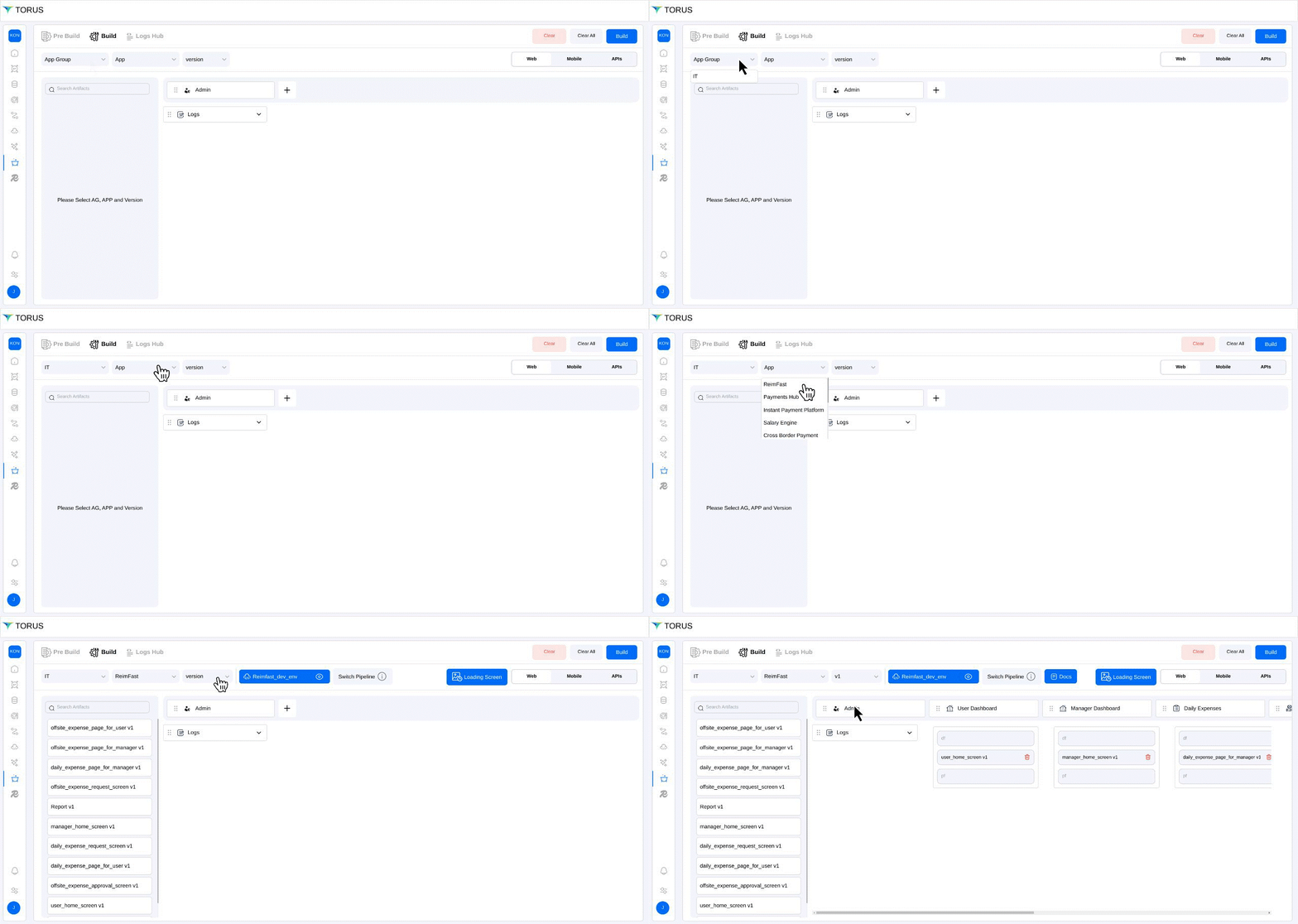
- Choose App Group and Version.
- Click Build to generate:
- PostgreSQL tables
- APIs
- Deployment artifacts