Reimbfast Dev ENV
Deployment Fabric allows to deploy all configured components, logic, and UI into a deployable solution. It ensures a structured, consistent, and error-free deployment process, making it easy to launch and manage the app across environments with minimal manual effort.
Create an Artifact (Deployment flow)
Follow the steps below to create a new artifact
- Navigate to the Dashboard → CD Fabric
- Open the Artifact section by clicking the "Artifact" tab in the navigation bar.
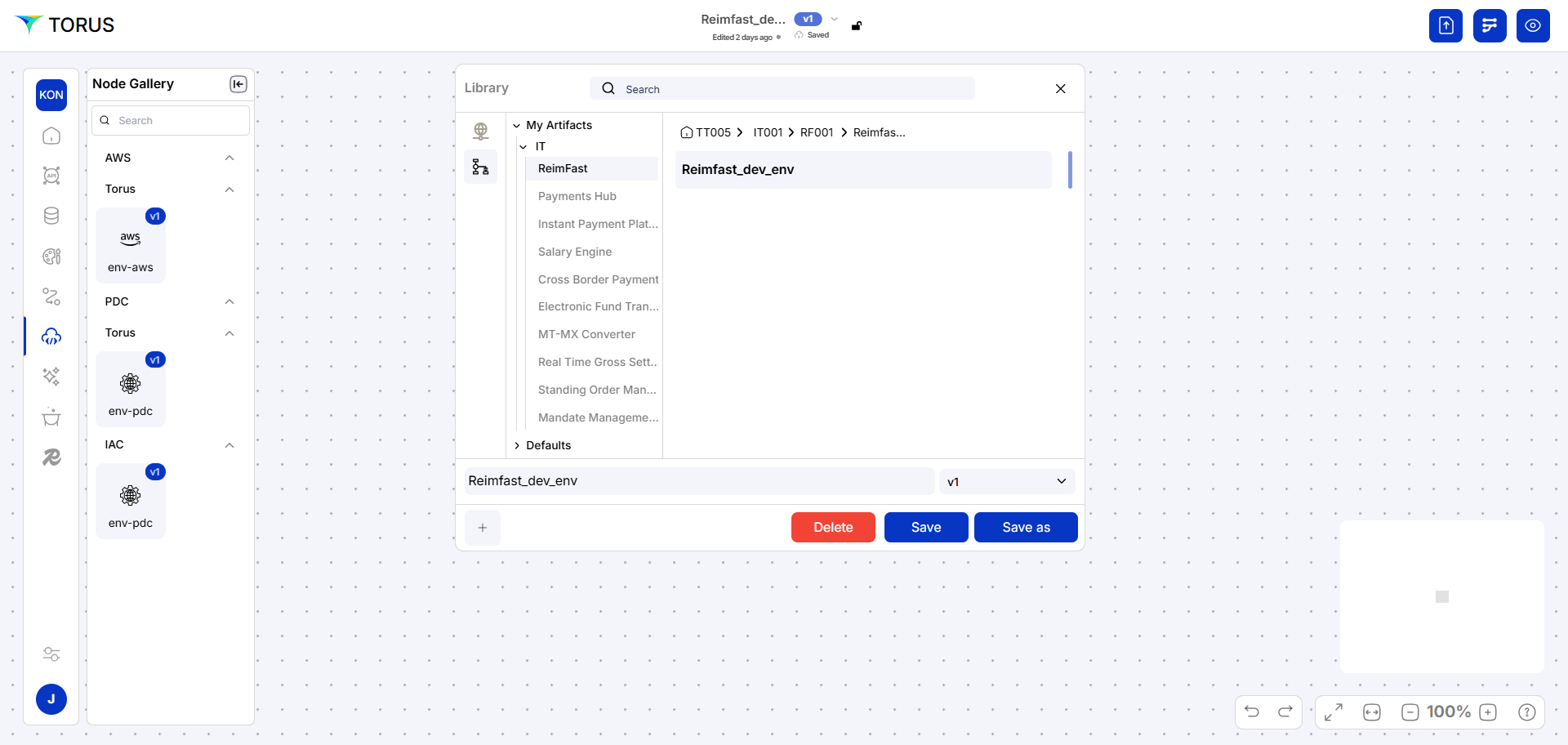
- Navigate to the application path: My Artifacts → Global-App-Group → reimbfast-app
- Click the (+) button at the bottom-left to create a new artifact.
- Enter a unique name for the artifact (e.g., Reimbfast Dev ENV).
- Click Create Artifact to confirm.
- Click Save to save the artifact and close the window.
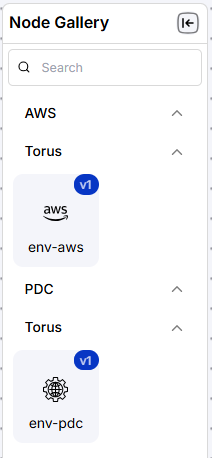
Node Gallery
There are two types of nodes here
- On premises data center (PDC)
- cloud provider (AWS)
on Premises data center Torus manages the data as Torus owns the data servers.
Cloud Provider Server is manager by multiple providers as AWS cloud that services like storage, servers, and networking.
Build Deployment Pipeline
Here we are enabing the settings for below
- DB type,
- github web
- github web
- github mobile
- documents
- API
- postgres DB details
- Mongo DB
- Redis
- MySQL
- API
- Minio
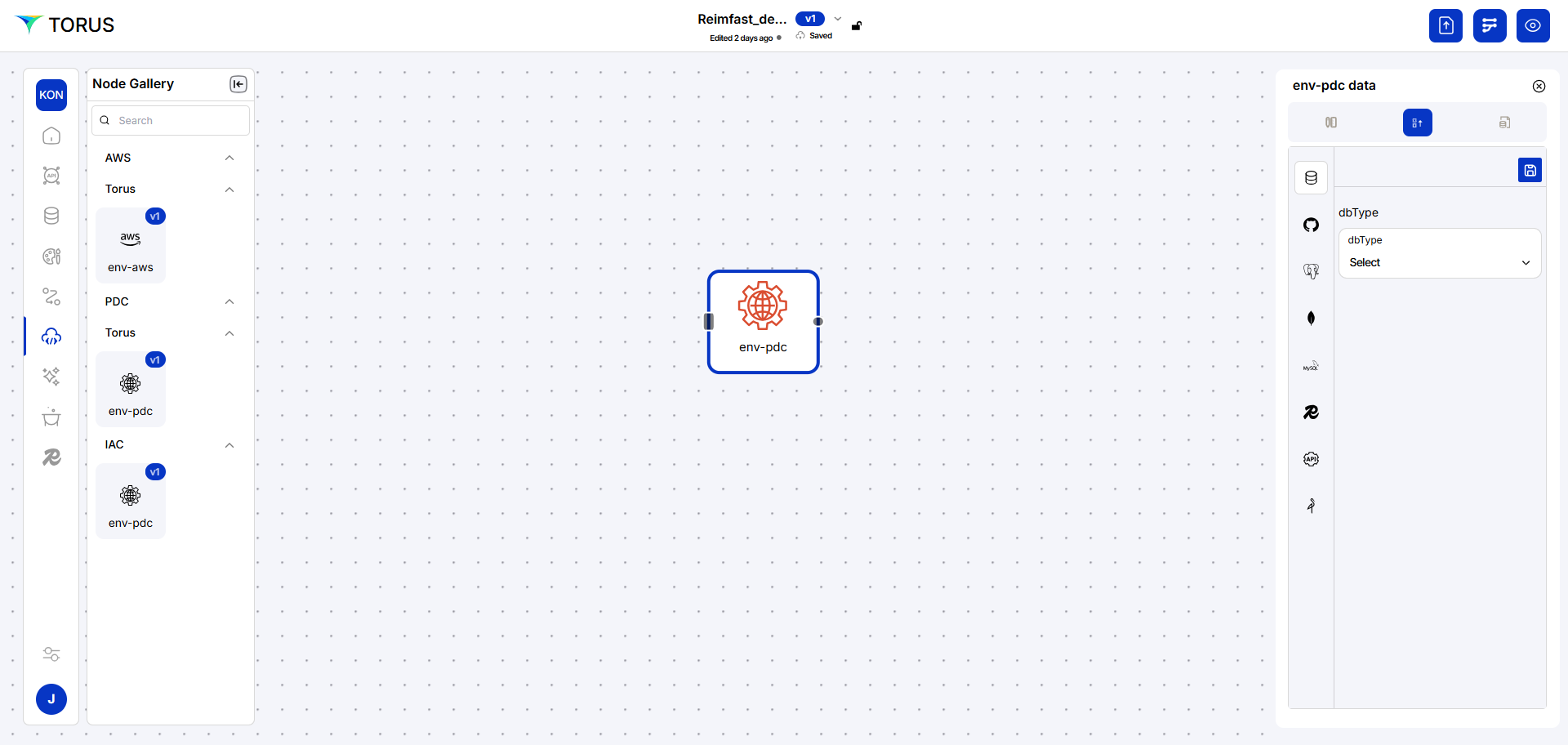
This configuration defines the applications environment and other relevant functions in build process.
To Build an application
Click on 'Build' on the right top of the screen
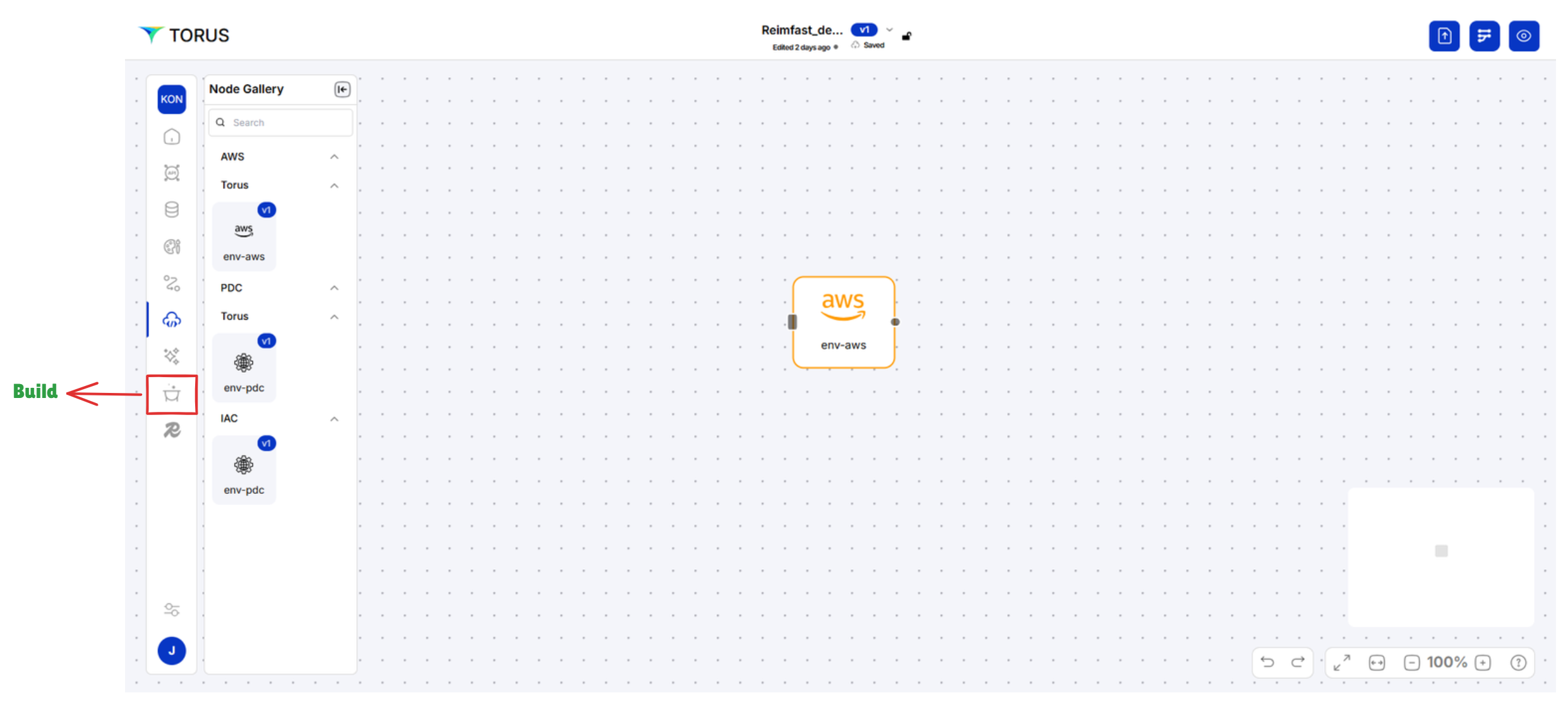
Choose build icon from left side menu.
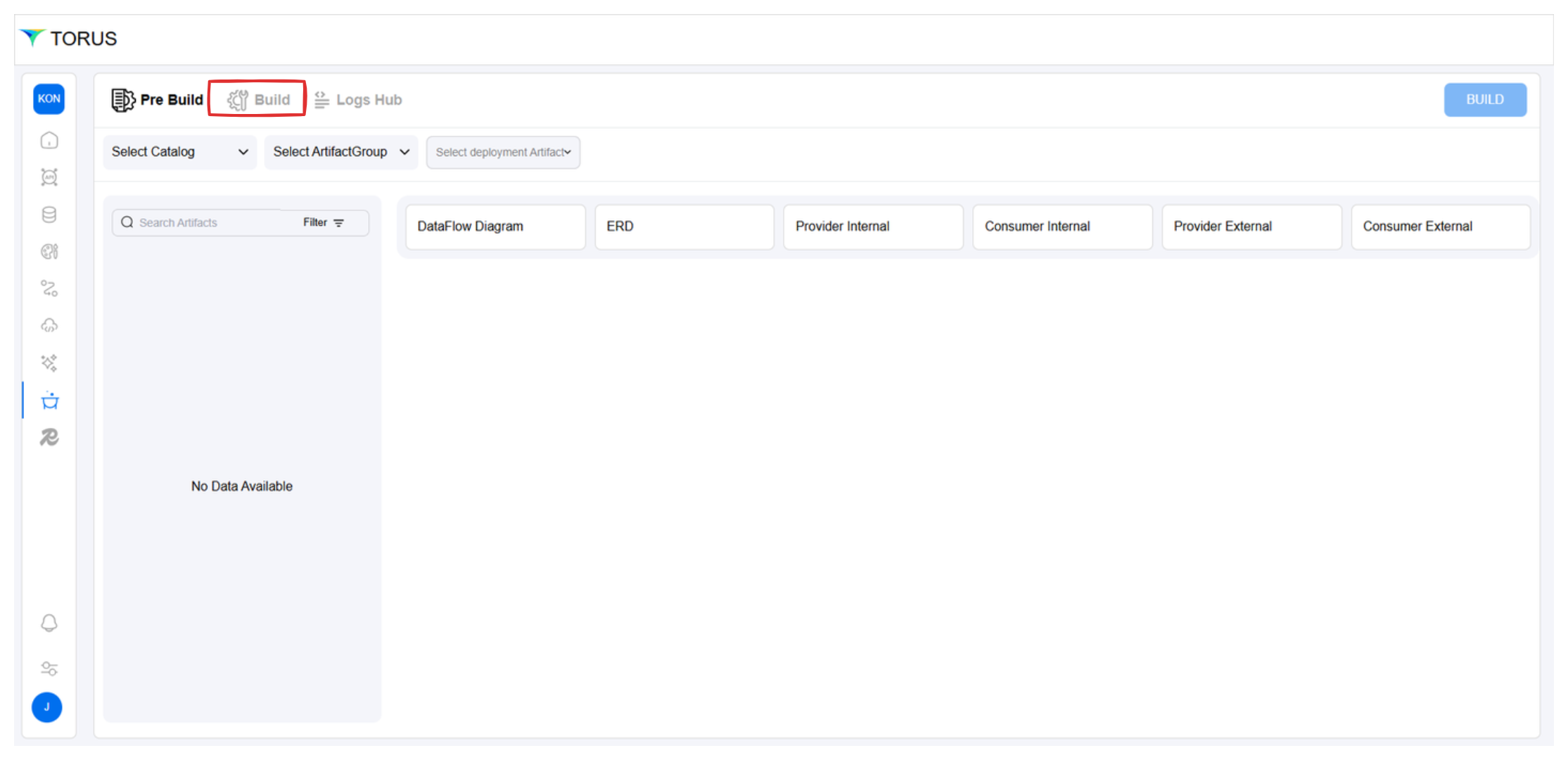
In the build process, we are defining which artifact shown in the navbar or Menu Item. we can build three things in here
- web
- Mobile
- API
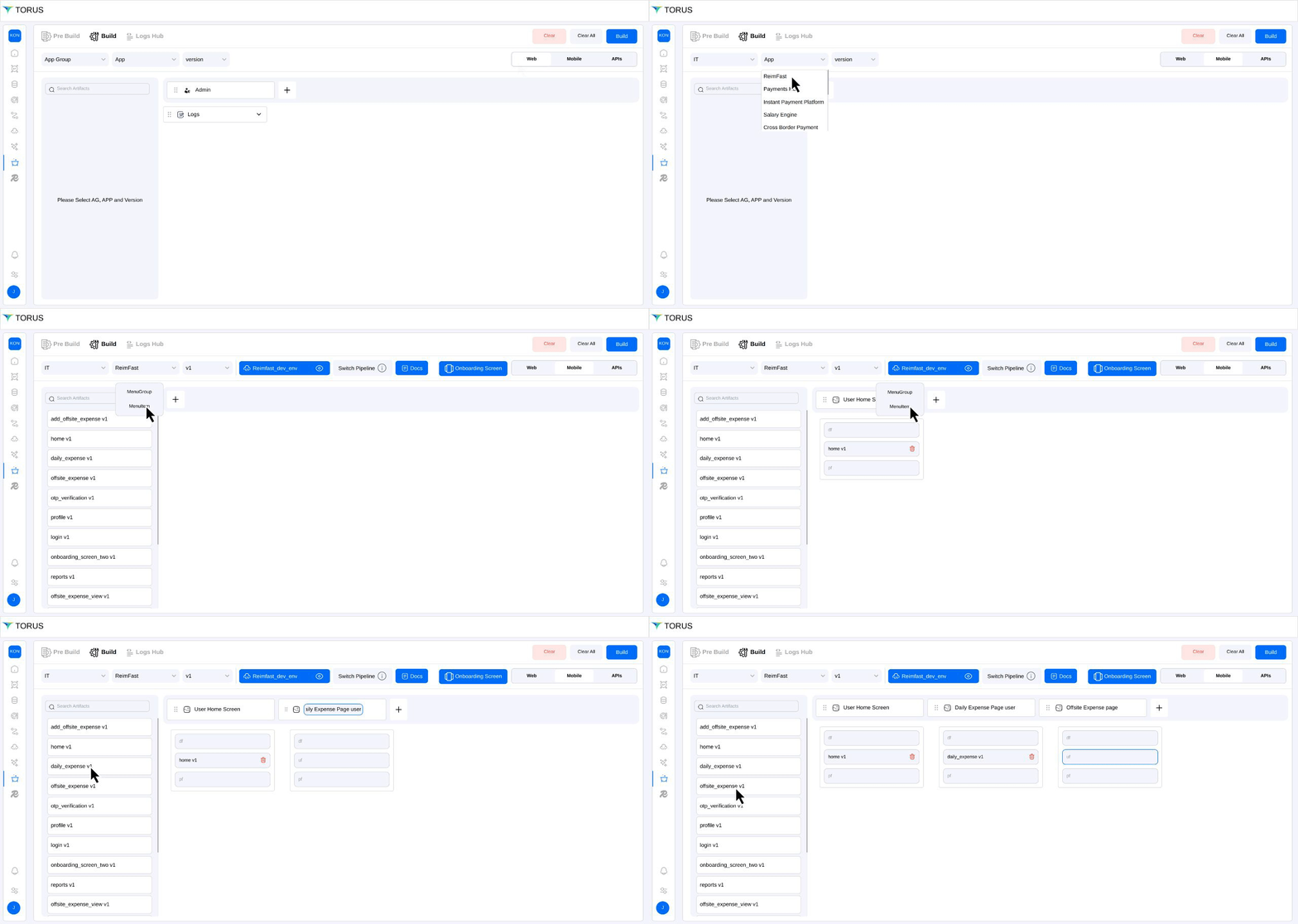
we already built API Fabric.Now we can select Web or mobile to get sucessful build. by choosing AppGroup > and Application > version and env. then map all artifacts shown in the left side menu. to drag into name of the menu list. for reference same as below.
Your application is now ready to go live! Upon successfully completing all the required steps in the Deployment Fabric, the system will automatically generate and deploy your application. This ensures a streamlined, consistent, and well-structured deployment process, minimizing manual effort and reducing the risk of errors. You’ve reached the final step—your app is now fully operational and integrated within environment!
It would take around 10 to 15 minutes to complete the build. Once it is done, you can click here to explore and experience your built application.
🎉 Kudos to You! You've successfully completed your first Torus application—all by yourself. An impressive milestone and a great start to your low-code journey!